Module 02 — Orders, Results & Billing
Manage Orders, Specimens, Results and Charges
Orders, Results & Billing supports the daily work of a laboratory. It helps teams create test orders, collect and track specimens, process results, prepare reports and capture the related charges.
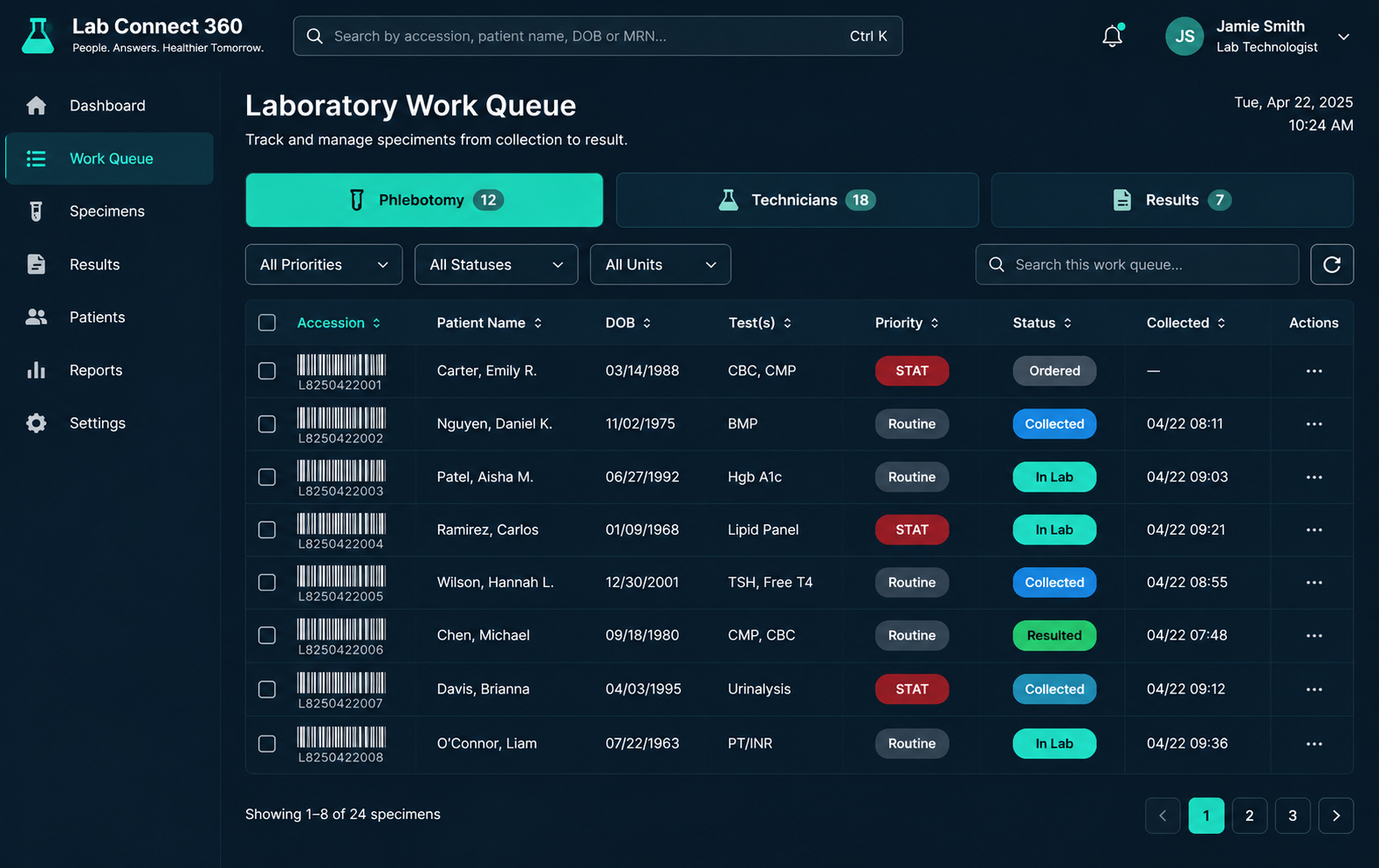
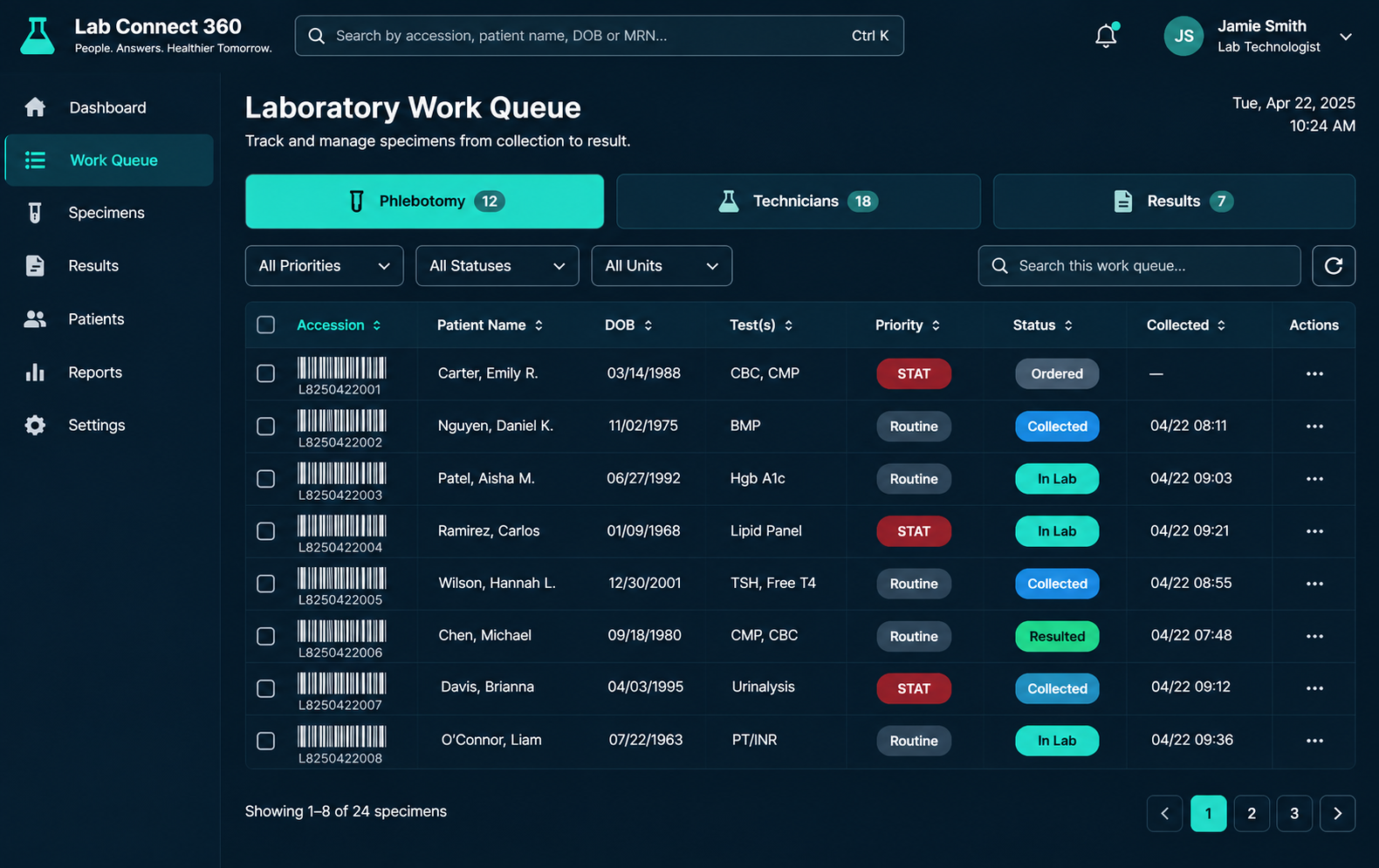
The module provides work queues and status information so staff can see which tasks are waiting for action.
Create Test Orders
Start an order by finding an existing patient or registering a new patient through the connected patient record process.
01
Select tests
Choose individual tests or a test package from the configured catalogue. Frequently used tests can be accessed through favourites where enabled.
02
Order details
Select the ordering physician, set the order priority and add comments or other available order information.
03
Create order
Generate the order number and accession number, then print the barcode label for the specimen.
04
Cancel order
An order can be cancelled before testing starts. The reason for cancellation is saved in the order history.
Track Each Specimen Through the Laboratory
After an order is placed, the specimen moves through a series of stages. LabConnect 360 records the specimen status so staff can follow its progress.

Text Order timeline: The order history can show the stages completed, the user responsible and the time of the activity.content
Manage In-house and Referral Testing
In-house testing
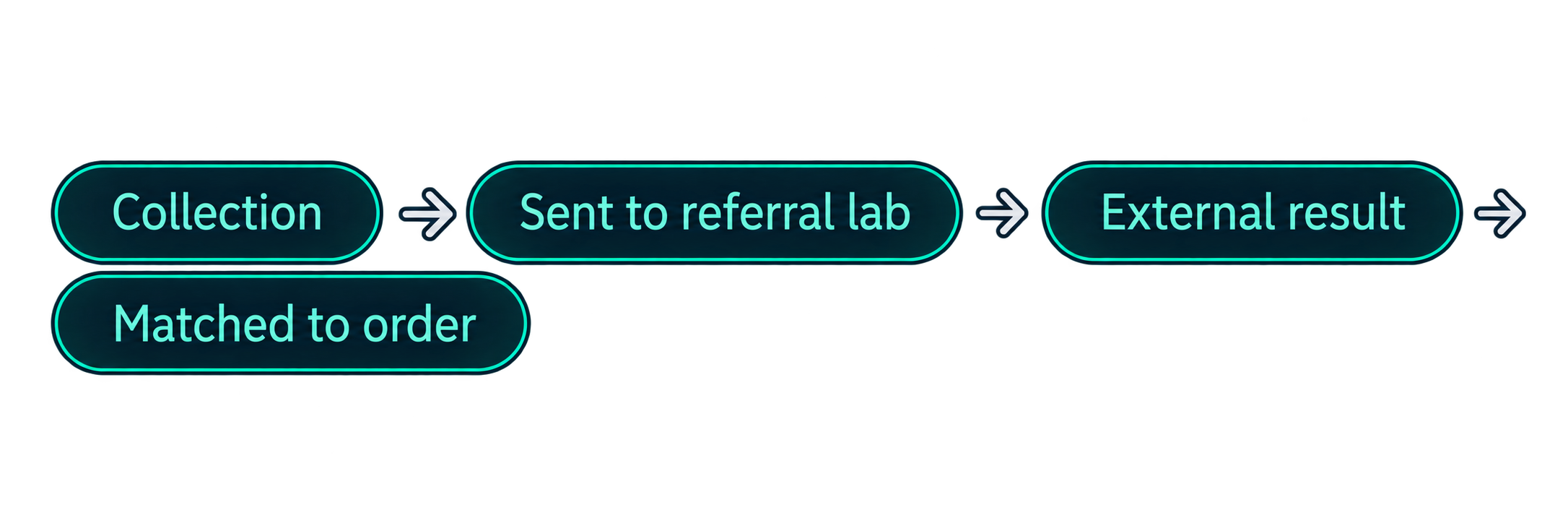
For tests performed within the laboratory, teams can follow the specimen from collection and laboratory receipt through processing, result entry, verification and completion.
Referral testing
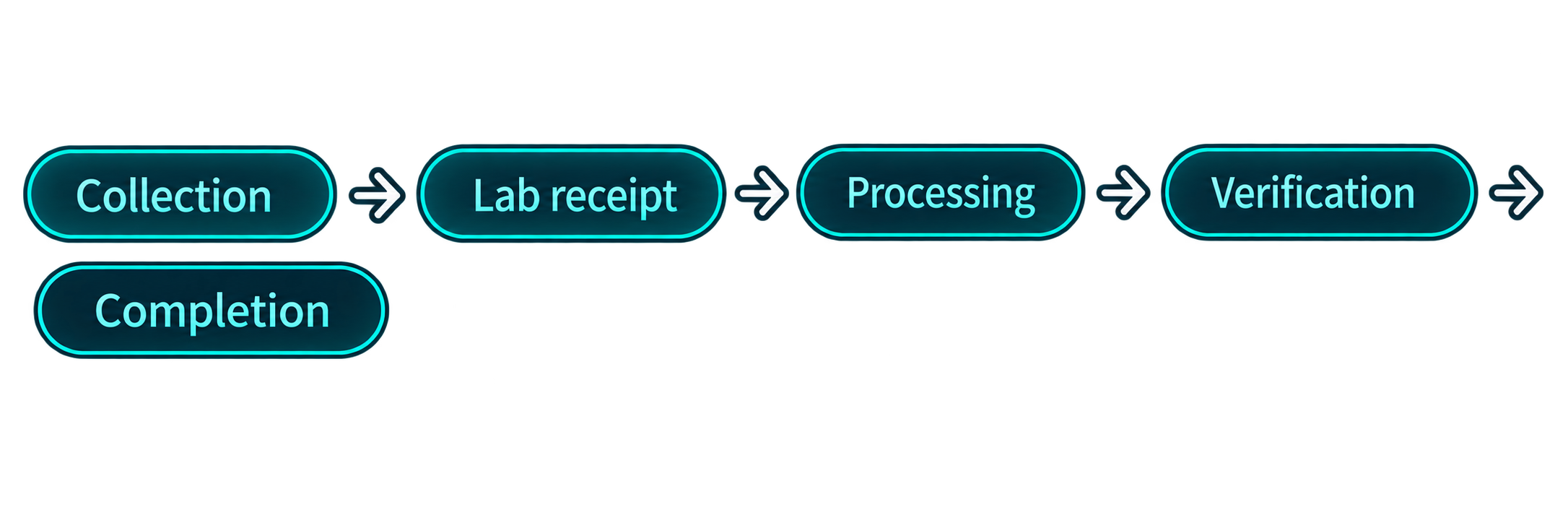
For tests sent to another laboratory, record the referral workflow and track the specimen or result information. When the external result is received, it can be associated with the original order, subject to the configured interface and mapping.
Give Each Team a Clear Work Queue
These queues help staff focus on the work assigned to their stage of the laboratory process.
Phlebotomy queue
Shows orders waiting for specimen collection. Urgent or priority orders can be highlighted according to the configured workflow.
Laboratory technicians queue
Shows collected specimens received in the laboratory and waiting for processing.
Results queue
Shows collected specimens received in the laboratory and waiting for processing.
Enter Test Results
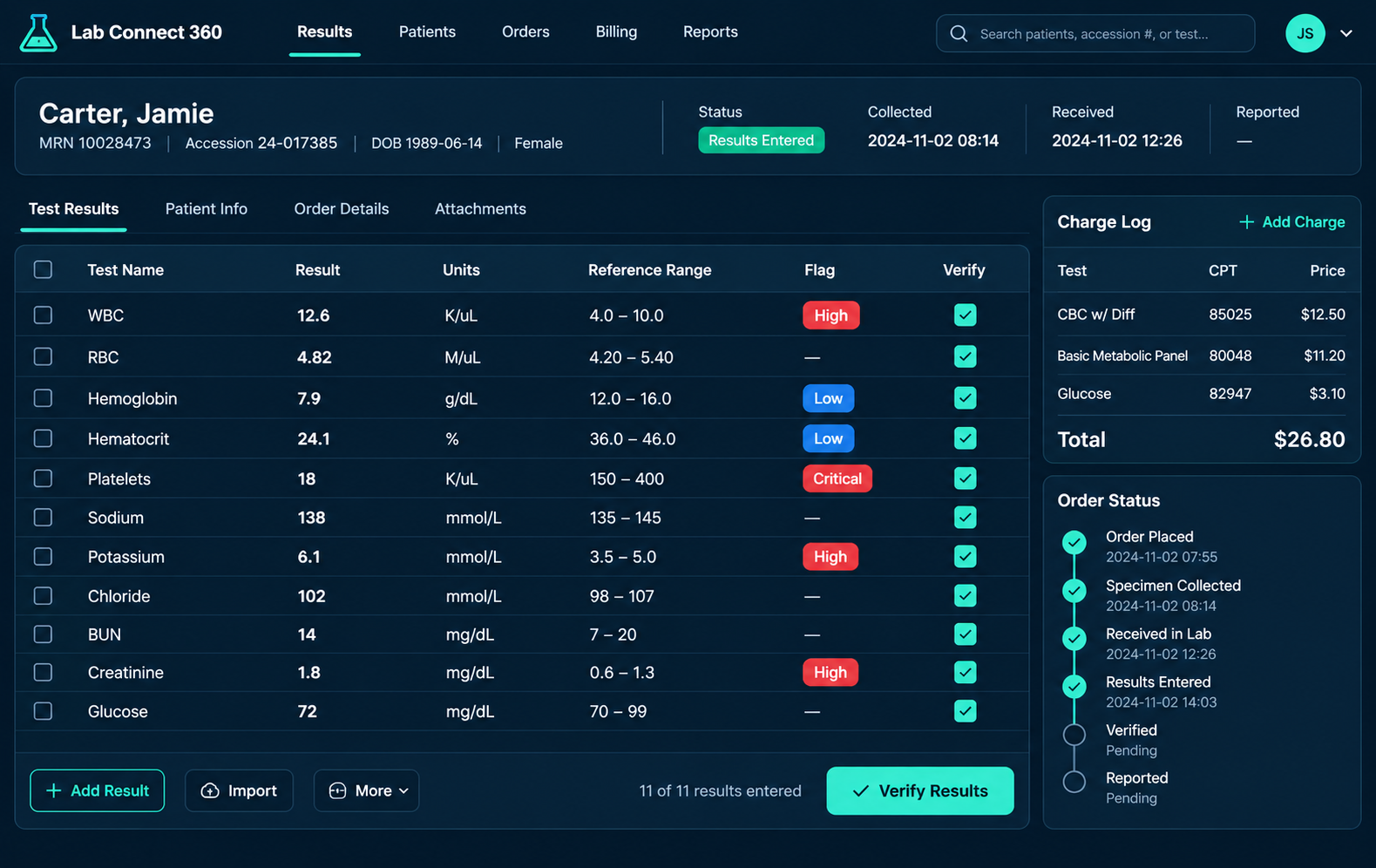
Laboratory staff can enter the result values for each test using the configured result fields and components.
- Reference ranges
- Result flags
- PDF results
-
Check and Verify Results Before Release
- Rule-based checks
- Critical results
- Amendments
- Auto-verification
- Authorised release
- Alerts
-
Find Results and Generate Reports
-
Deliver Reports Through Configured Channels
- Report generation
- Turnaround time
- Test volume
- Operational views
- Channels
- Delivery Status
-
Set Test Prices and Package Prices
Individual Tests
Set a charge for each test in the catalogue.
Packages
Group multiple tests into a package with a package price.
Facility price Lits
Set prices for an individual facility or facility group, with effective start and end dates.
-
Control When Charges Are Created
Choose when a charge is created.
Ordered
When the order is placed
In Lab
When the specimen reaches the lab
Completed
When the work is completed
- Duplicate Prevention
- Package Billing
From Test Order to Result and Charge
Orders, Results & Billing connects the work performed by front-desk, phlebotomy, laboratory, result-verification and billing teams. It provides a shared view of the order as it moves through the laboratory.
See LabConnect 360 in Use
Talk to our team about your laboratory workflow, facility setup and system integration requirements. We can walk you through the parts of LabConnect 360 that are relevant to your operations.
LabConnect LIS
A product of Meltice Technology.
Product
Solutions
Integrations
About