Skip to content

MODULE 01 – FOUNDATION

The Core Setup for Your Laboratory Operations

Foundation contains the main setup and administration functions used by LabConnect 360. It brings together patient records, facility settings, user access, system configuration and connections with external systems.

These functions provide the base that laboratory teams use when managing orders, results and other daily activities.
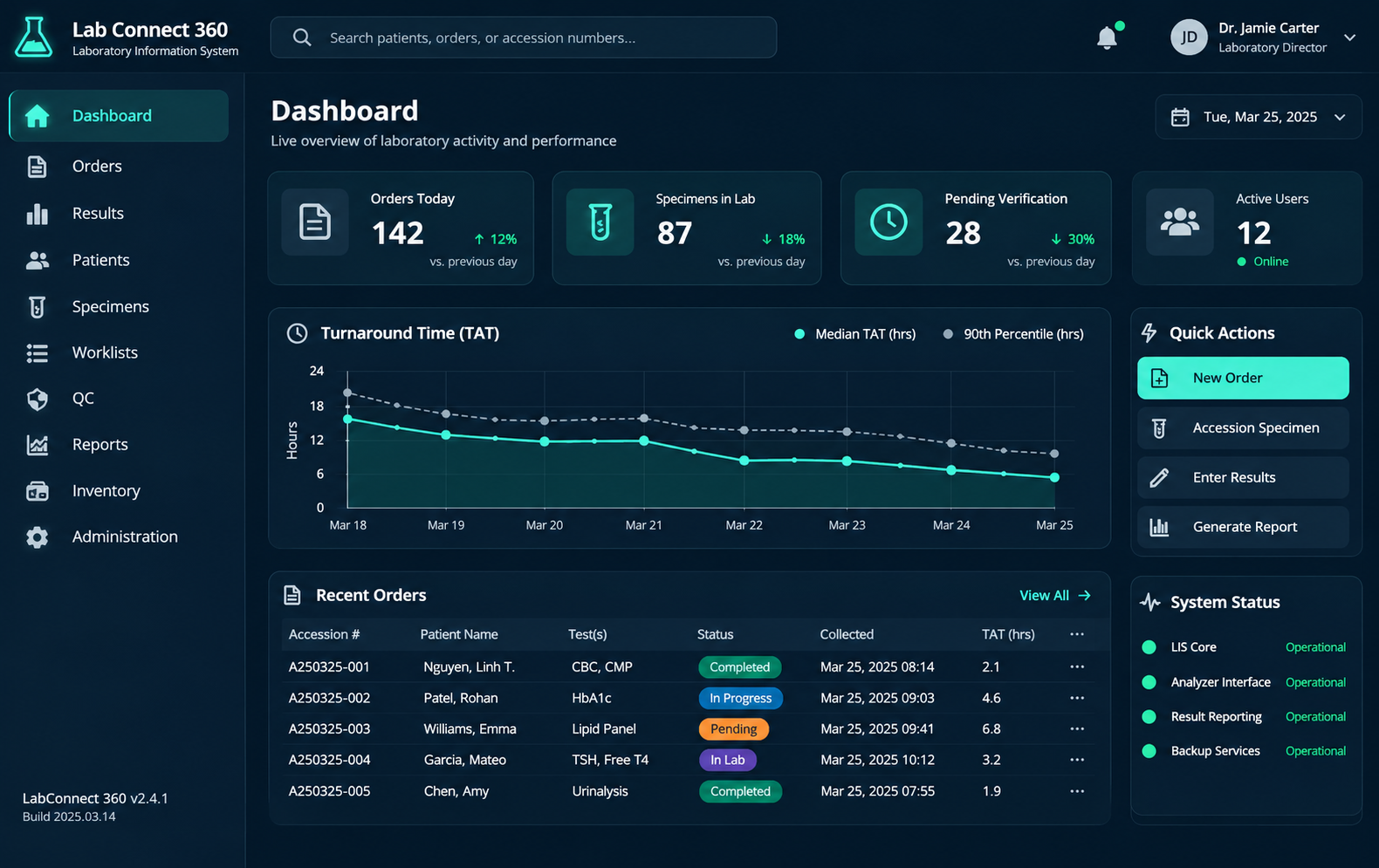
Lab Connect 360 Laboratory Dashboard

Register and Find Patient Records

Create patient records and find existing patients when a new test order is placed.
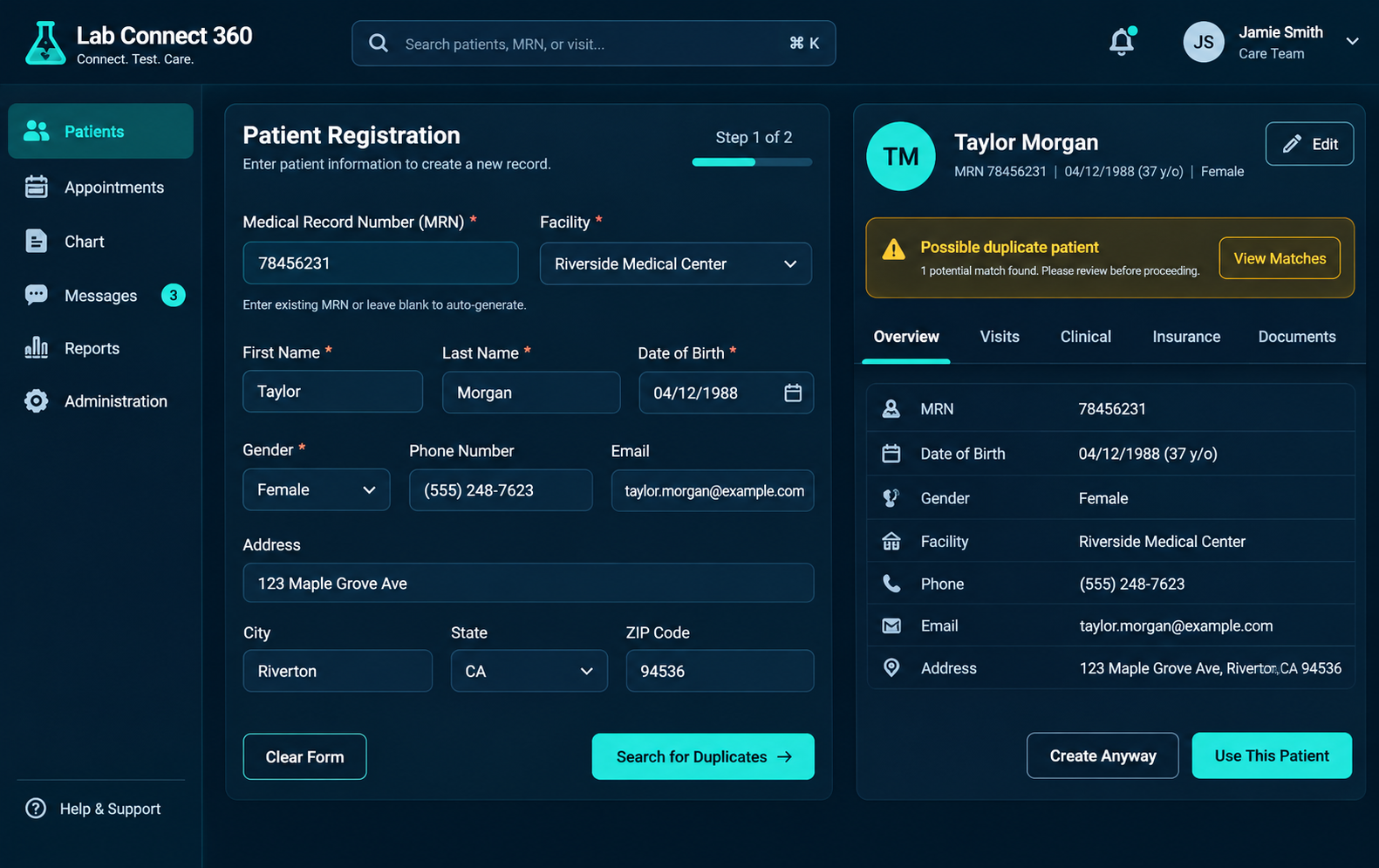
Lab Connect 360 Patient Registration
Quick registration
Use a shorter registration form when only the essential patient details are required.
Full registration
Capture name, date of birth, gender, contact information, address, insurance or self-pay details, next of kin and facility association.
 
MRN assignment
Assign a medical record number (MRN) based on the configured facility numbering format.
Patient search
Search for an existing patient and review the matching record before creating another one.
Possible duplicate warning
The system can warn staff when the details entered may match an existing patient record.

Manage Facilities and Facility Groups

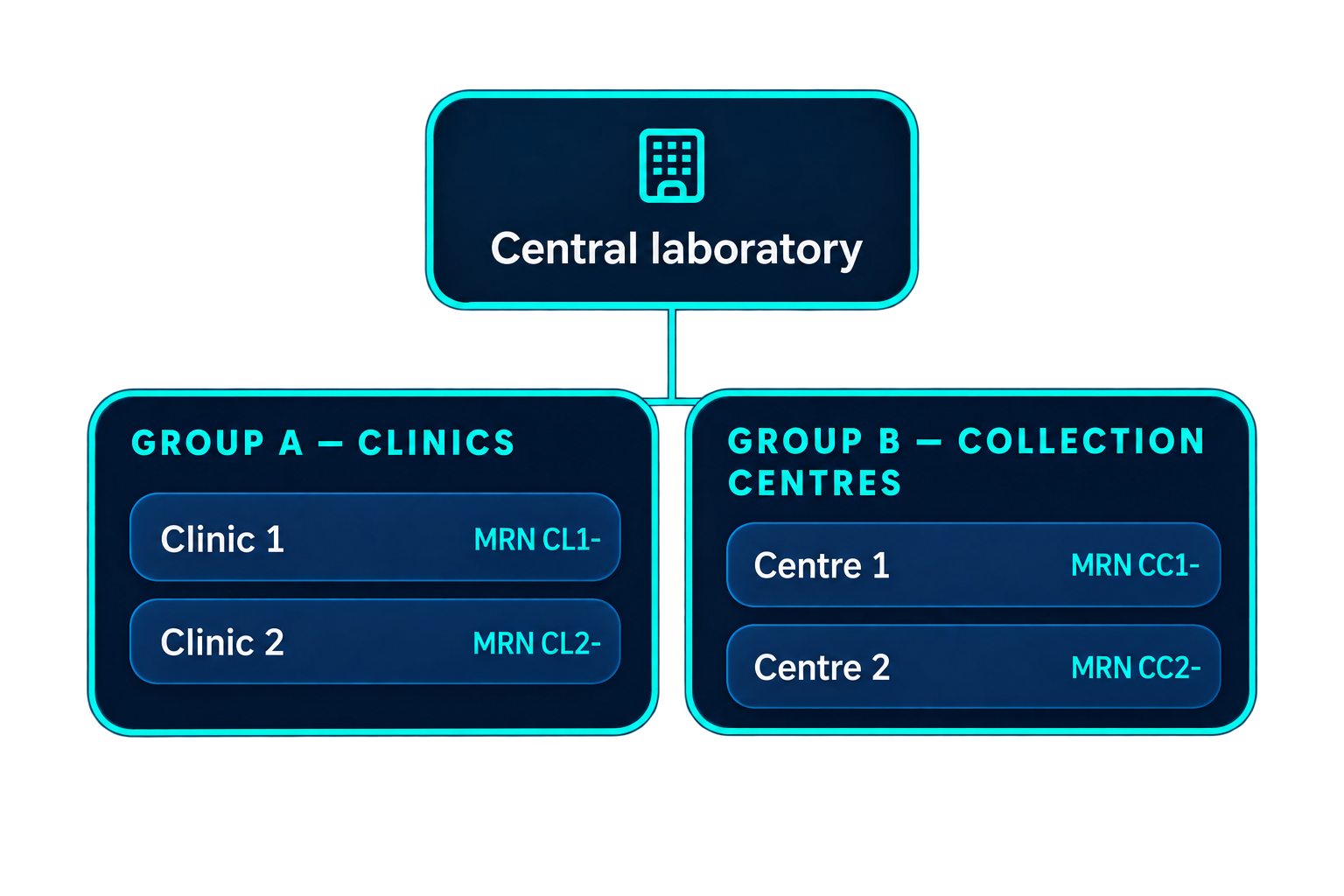
Set up the facilities that send samples to or work with the laboratory. Facilities can be organised into groups to support different operating arrangements.

Facility settings
Configure a facility’s MRN prefix, time zone, currency, barcode type and result-release rule.
Facility groups
Group facilities and apply the relevant group-level settings where configured.
 
Active facility
Users can select the facility they are working with, subject to their assigned access.
Facility-specific access
Restrict users to the facilities assigned to their role or account.
Neon Laboratory Organizational Flowchart

Set User Roles and Permissions

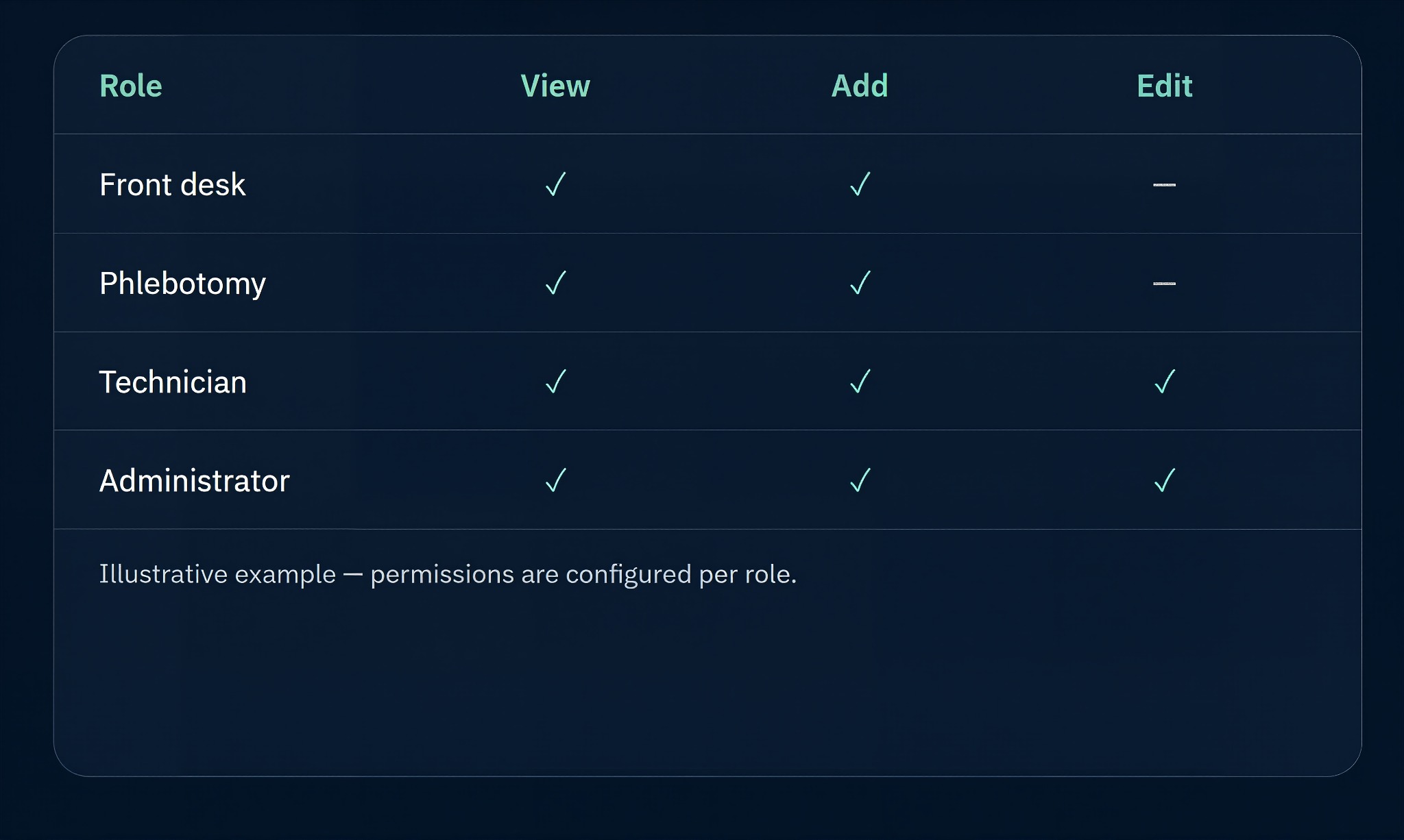
Create user roles based on the responsibilities of each team. Set which screens and functions a role can access.

Permission Level
Configure whether users can view information, add new records or make changes, according to the available permission settings.
Facility access
Apply access restrictions so users can work only with the facilities assigned to them.
Pokecut_1795086498181

Manage Login and Device Access

LabConnect 360 includes login controls to help administrators manage account access.

Account lock — Repeated incorrect password attempts can lock an account. An administrator can unlock the account.
Device sessions — A default limit of up to three devices per user. When a new sign-in exceeds the limit, the oldest session may be logged out.

Review User Activity and Changes

Audit logs help administrators review activity in the system. Records can show who performed an action, what was changed and when it happened.
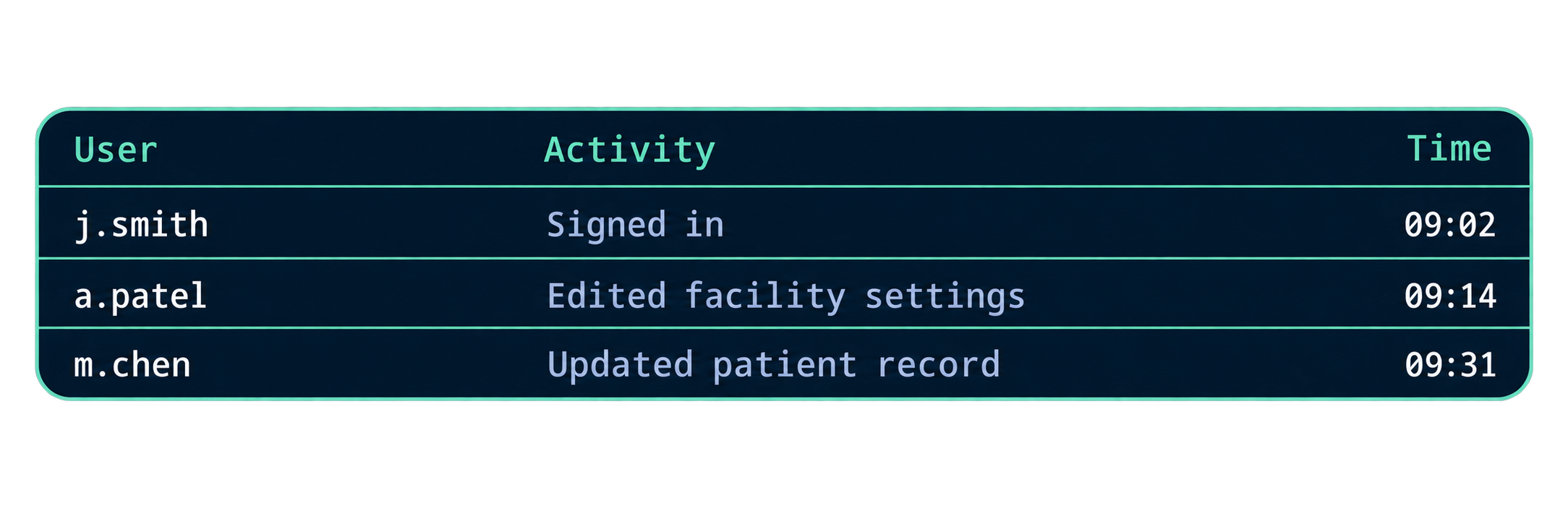
Teal-Outlined Activity Log Dashboard

Configure the System for Your Laboratory

Set up the lists, fields and rules used by the laboratory workflow.

Test setup
Maintain the test catalogue, departments, sample types and test packages.
Laboratory setup
Configure benches and the locations where tests are performed.
Verification setup
Configure the rules used for eligible result auto-verification.
Result setup
Configure result components and the fields used to record test values.
Order setup
Maintain physician lists, favourites and accession number formats and reset rules.
Other settings
Manage lookup values, barcode label fields, user landing pages and dashboard settings.

Configure Connections with External Systems

LabConnect 360 supports configured HL7 v2.x connections for exchanging information with external healthcare and laboratory systems.

Monitor Messages and Review Integration Issues

Integration monitoring helps technical teams review messages exchanged between LabConnect 360 and connected systems.

Foundation-Module-_-LabConnect-360-11-18-2026_06_26_PM-removebg-preview
ADT messages
Support patient information and patient event exchanges through configured ADT message workflows.
ORM messages
Support test order message exchange with connected systems.
Connection setup
Connection details and message mappings depend on the external system and the agreed interface specification.
Message status
Review message status and acknowledgement information.
Retry tracking
Review messages that require a retry and follow their processing status.
Unmatched results
Identify result messages that do not match an existing order or test mapping and require review.
Message references
Use available event and original-payload references when investigating an integration issue.
Other message types
Configured workflows may include ORU result and DFT charge-related messages. REST or SOAP interfaces may be used for billing connections.

Foundation Supports the Rest of the Laboratory Workflow

Patient records, facility settings, user permissions, system configuration and external connections provide the base for the daily order, specimen, result and billing processes.

Explore Orders, Results & Billing

See LabConnect 360 in Use

Talk to our team about your laboratory workflow, facility setup and system integration requirements. We can walk you through the parts of LabConnect 360 that are relevant to your operations.