LABORATORY INFORMATION SYSTEM
What Is LabConnect 360?
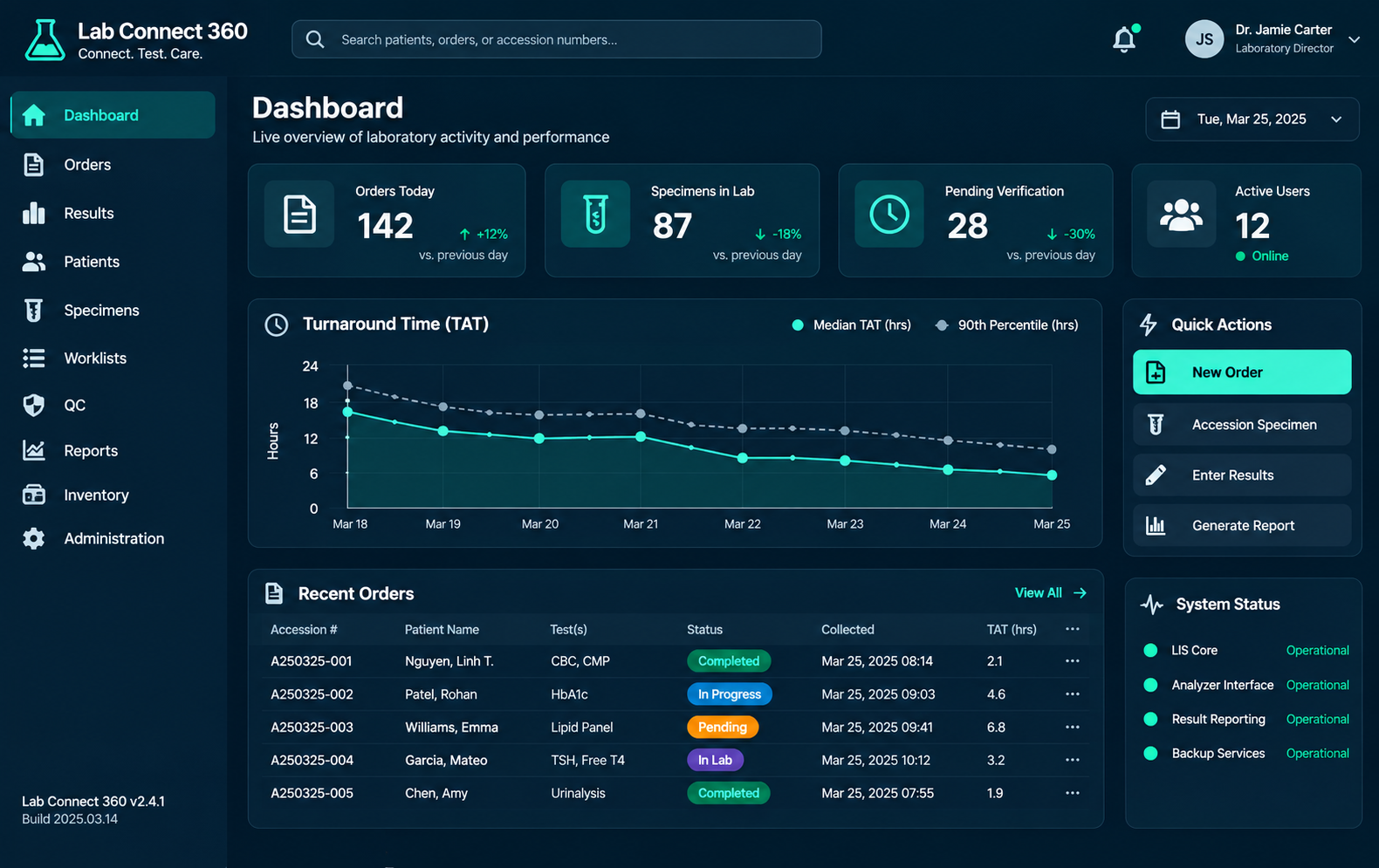
LabConnect 360 is a Laboratory Information System (LIS) designed for diagnostic laboratories and healthcare organisations. It helps teams manage patient records, test orders, specimens, laboratory results, reports and billing through one connected system.
The system also supports laboratory networks that work with multiple clinics and collection centres. Facilities can use their own settings and access permissions while remaining connected to the laboratory workflow.
What Laboratory Challenges Does It Help Address?
Disconnected information
Choose individual tests or a test package from the configured catalogue. Frequently used tests can be accessed through favourites where enabled.
Choose individual tests or a test package from the configured catalogue. Frequently used tests can be accessed through favourites where enabled.
Limited specimen visibility
When teams cannot easily see where a sample is in the process, follow-up becomes harder.
LabConnect 360 provides order and specimen status information for the relevant teams.
Integration errors are hard to follow
Messages exchanged with external systems can fail or arrive without a matching result.
Integration monitoring helps teams review message status, acknowledgements, retries and unmatched-result errors.
Different facility requirements
Laboratory networks may use different patient numbering, access permissions and prices across facilities.
LabConnect 360 supports facility-specific settings and price lists.
How LabConnect 360 Supports the Laboratory Workflow
The system connects the main stages of laboratory work, from patient registration to result reporting and charge capture.
Person registration
Create a new patient record or find an existing one, then assign the relevant MRN.
Test ordering
Select the required tests or package and create the laboratory order.
Specimen collection & tracking
Collect the sample, print its barcode label and track its progress.
Result processing
Receive the specimen, enter test results and complete the required checks.
Report delivery
Verify the result, prepare the report and use the configured delivery method.
Two Core Modules in One System
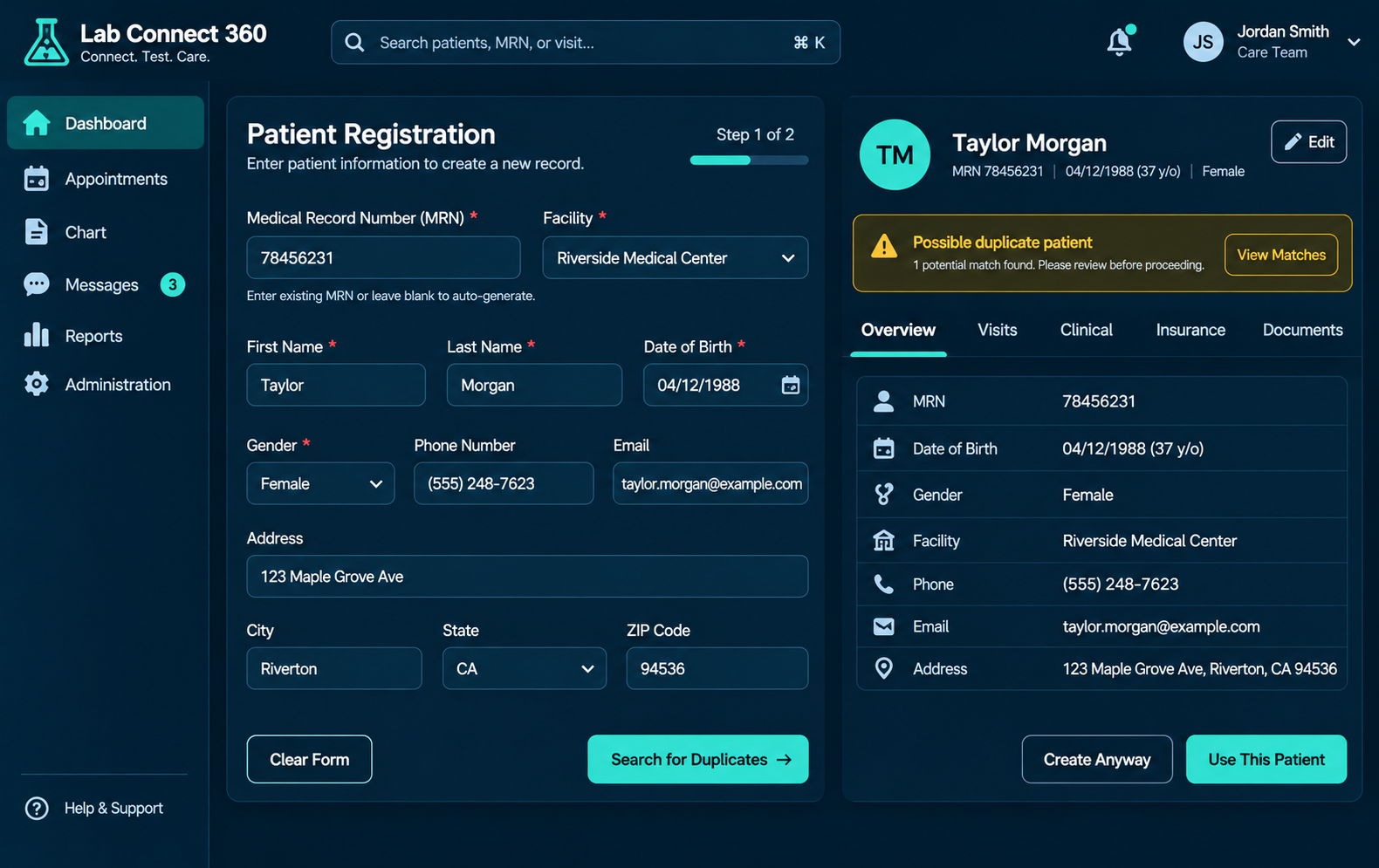
LabConnect 360 is organised into two main modules. Foundation provides the setup and administration functions. Orders, Results & Billing supports the daily laboratory workflow.
MODULE 01 – FOUNDATION
Manage patient records, facilities, facility groups, user access, system settings and external system connections.
-
Patient registration and search
-
Facility and facility-group management
-
User roles and permissions
-
Login controls and audit logs
-
System configuration
-
HL7 connection setup and monitoring
MODULE 02 – ORDERS , RESULTS & BILLING
LabConnect 360 is organised into two main modules. Foundation provides the setup and administration functions. Orders, Results & Billing supports the daily laboratory workflow.
-
Test catalogue and packages
-
Specimen tracking
-
Result processing and verification
-
Billing and charge capture
-
Report generation and delivery
-
Order creation
-
Team work queues
Manage Patients and Multiple Facilities
Patient records
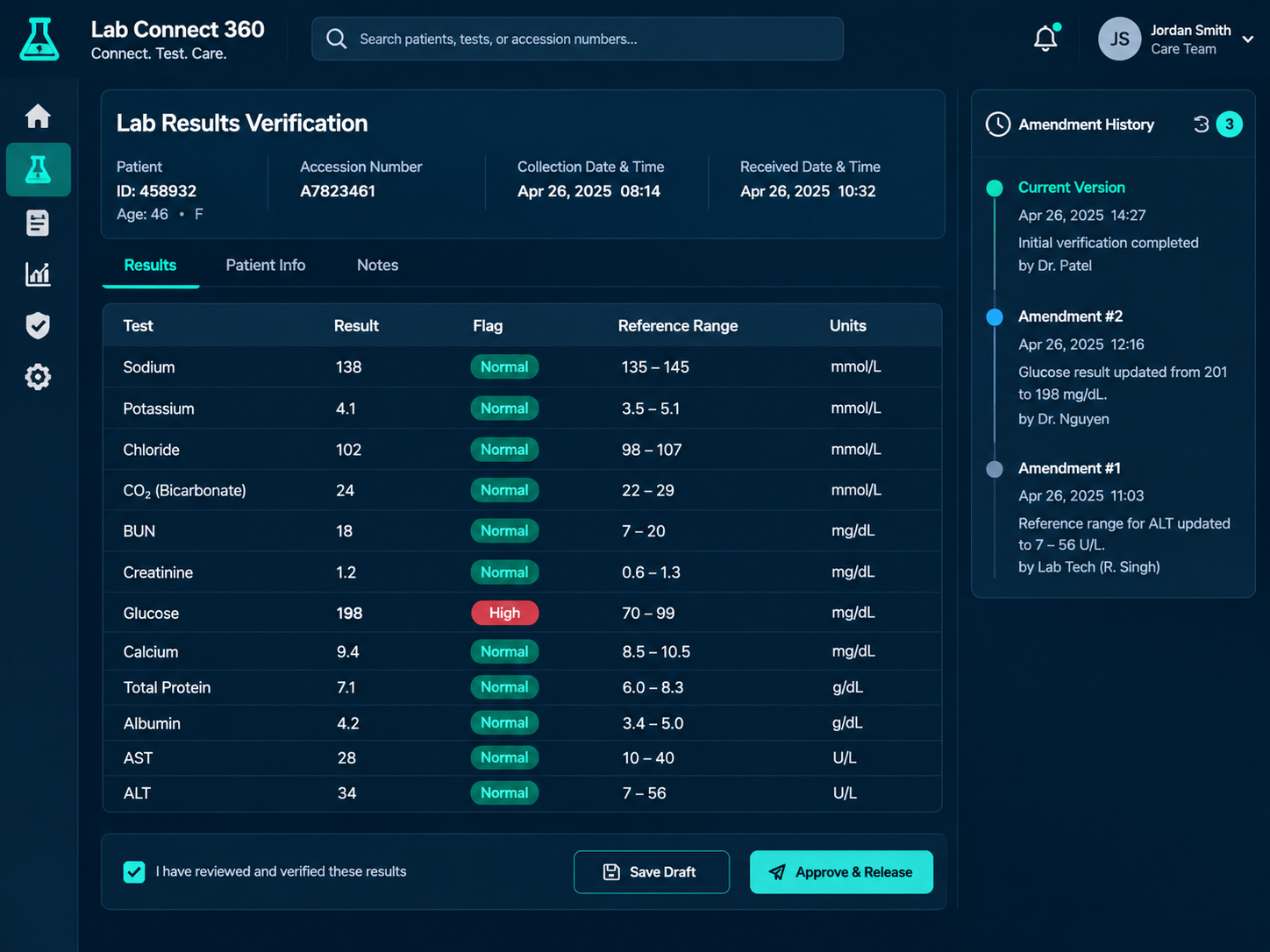
Create and search patient records, assign MRNs and associate patients with the relevant facility. The system can display a warning when a possible existing patient record is found.
Facility operations
Manage facilities and facility groups with settings such as MRN prefixes, time zones, currencies, barcode types and result-release rules. Users can access the facilities assigned to their roles.
Follow Orders and Specimens Through the Laboratory
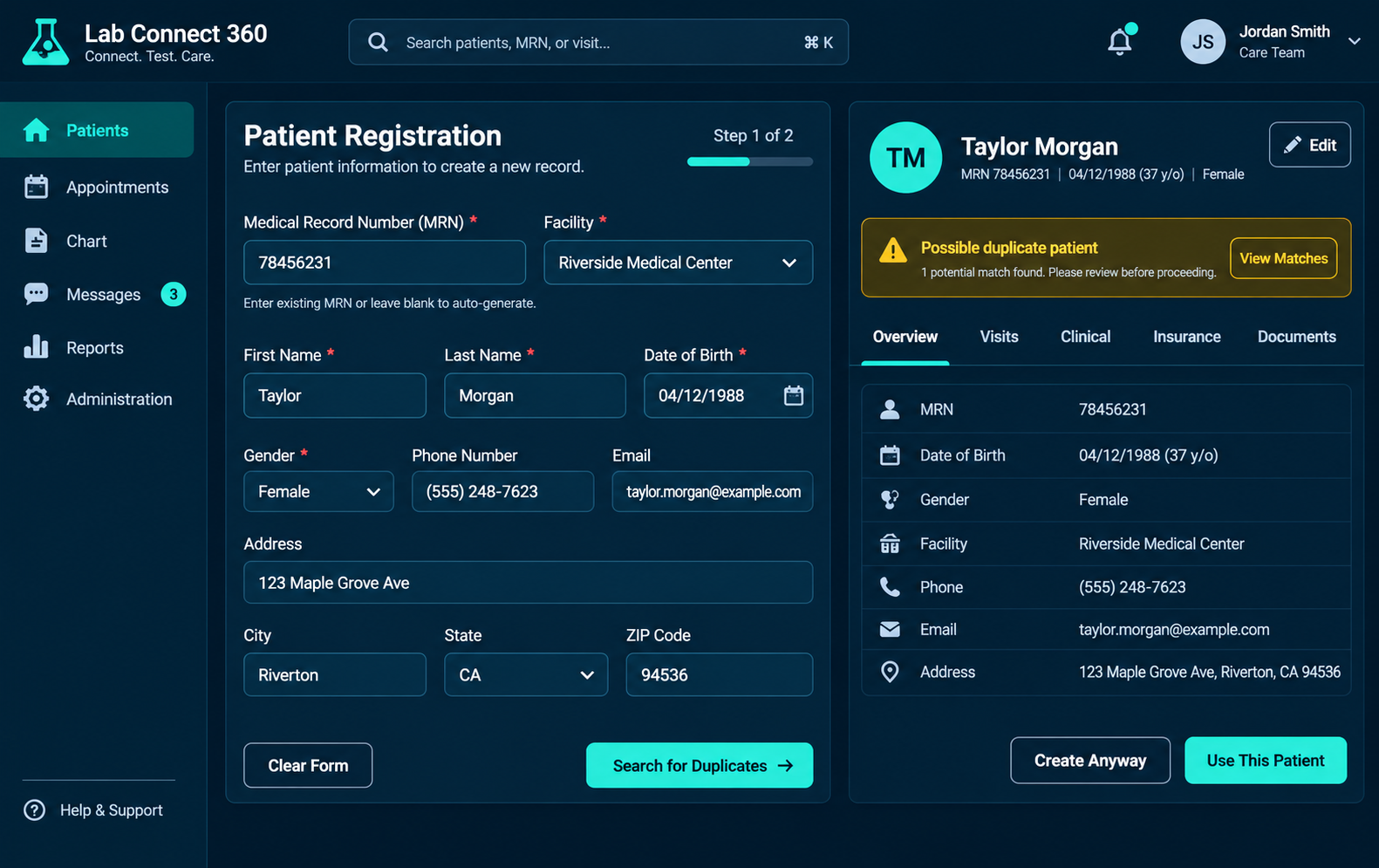
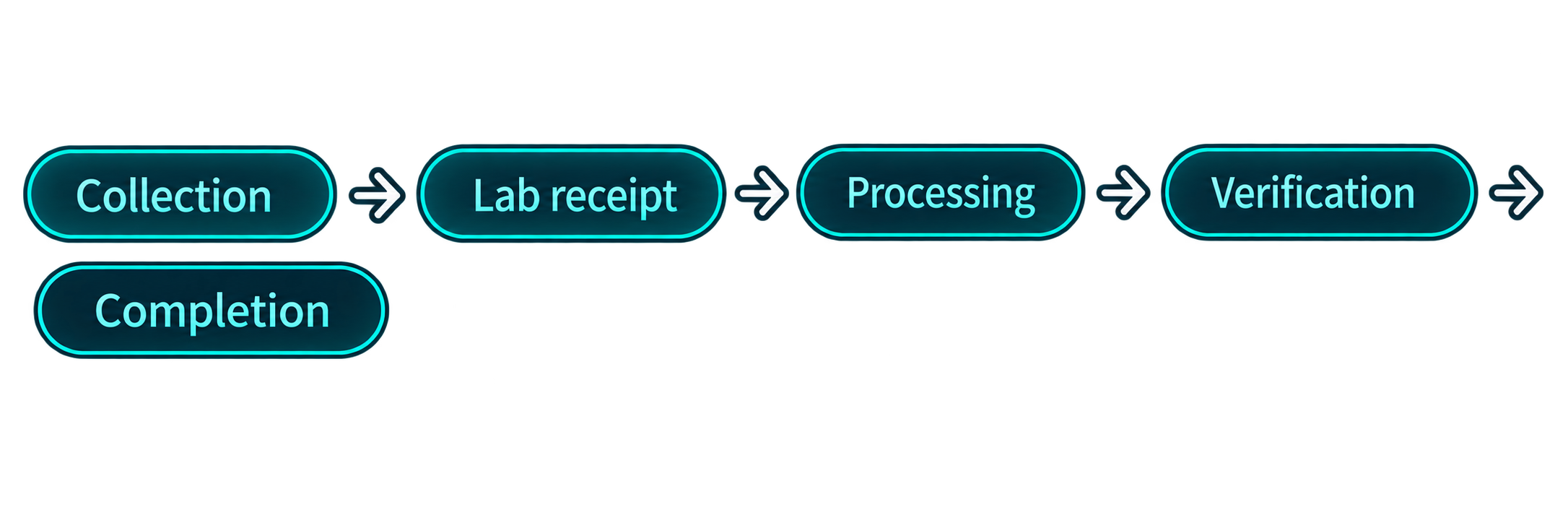
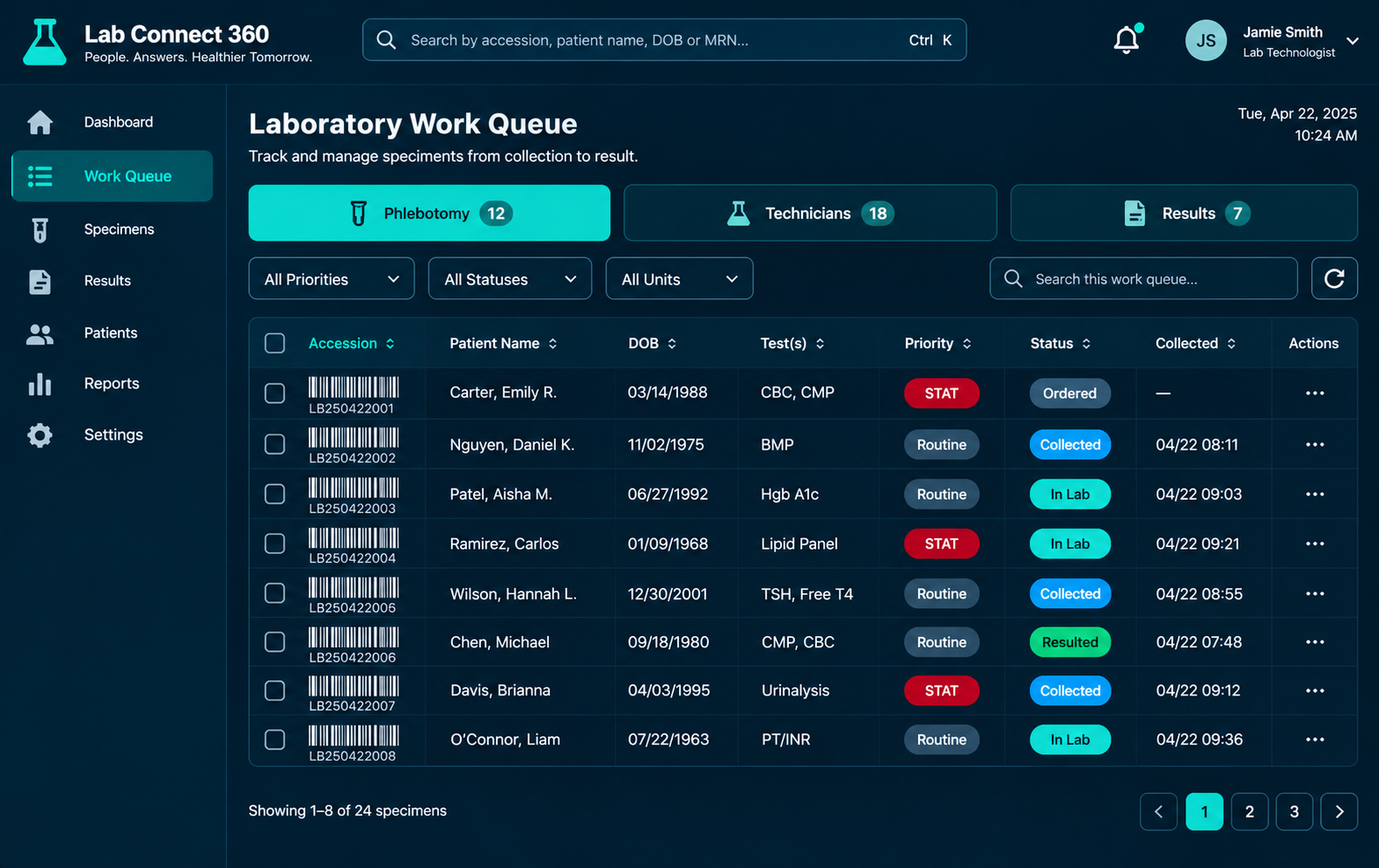
LabConnect 360 provides visibility of an order as it moves through collection, laboratory receipt, processing, result entry, verification and completion. Work queues help each team see the tasks that need attention.
In-house and referral work : The system supports workflows for samples processed within the laboratory and samples sent to a referral laboratory.
Manage Results, Reports and Charges
Results :
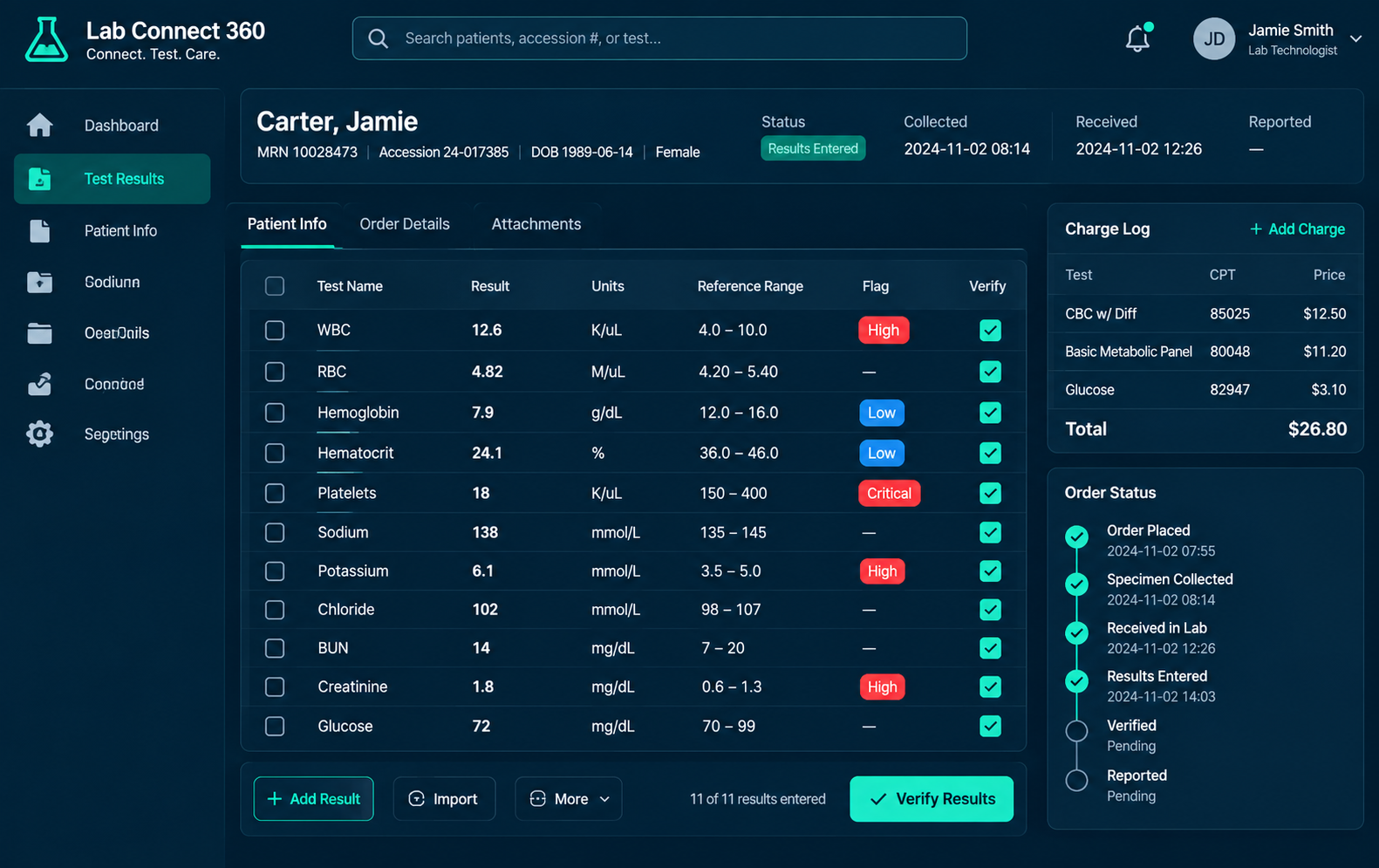
Enter results, apply configured reference ranges and flags, and use rule-based auto-verification for eligible results. Critical results require human review.
Reports :
Search for results, prepare reports and view operational information such as turnaround time and test volumes.
Billing :
Configure test and package prices, facility and group price lists, charge timing and duplicate-charge checks.
Connect with External Healthcare and Laboratory Systems
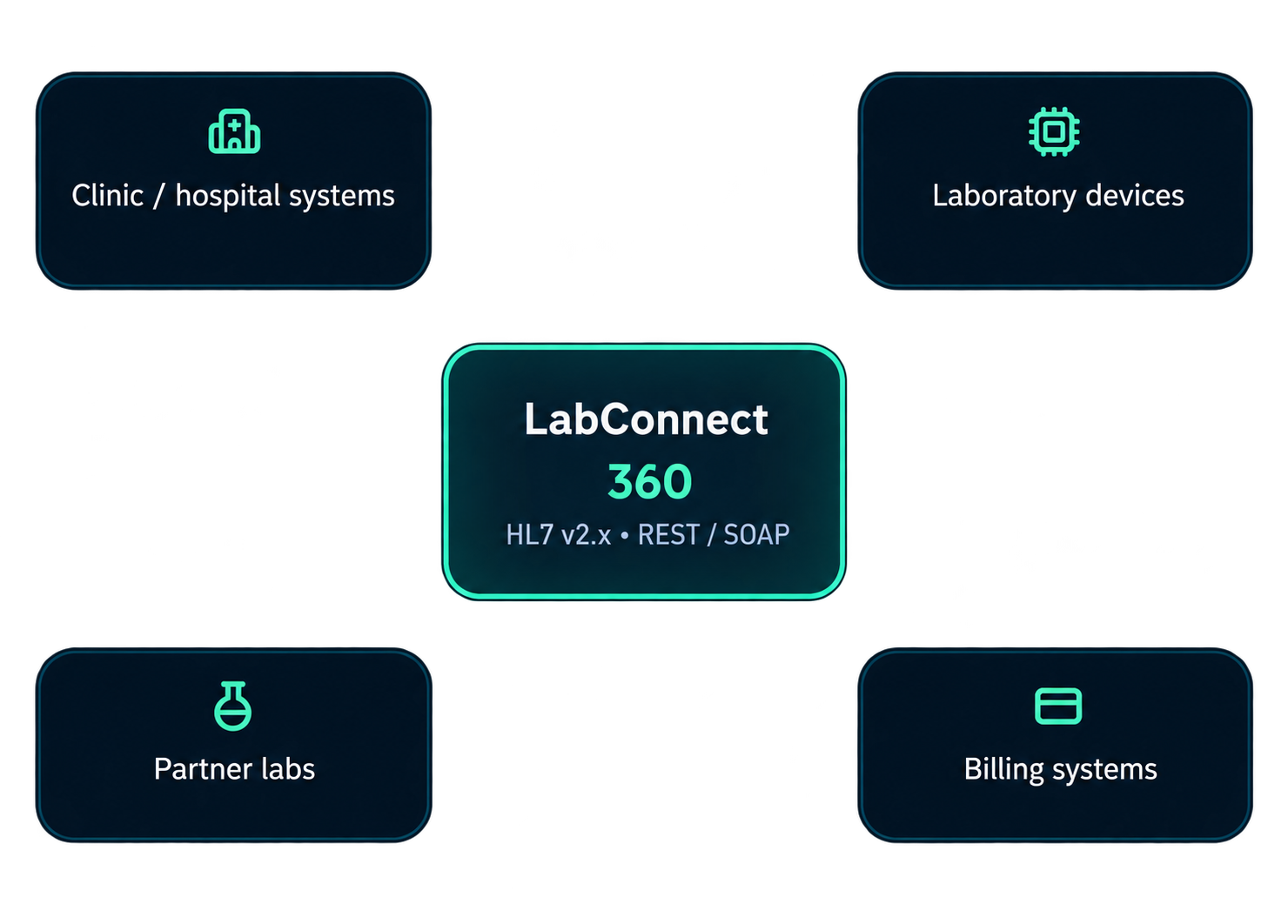
LabConnect 360 supports configured HL7 v2.x message workflows for patient information, test orders, laboratory results and charge-related exchanges. Configured billing interfaces can also connect with external systems.
Visibility: Teams can review message acknowledgements, retries and unmatched-result errors through the integration monitoring functions.
Optional AI Module
AI Appointment Assistant
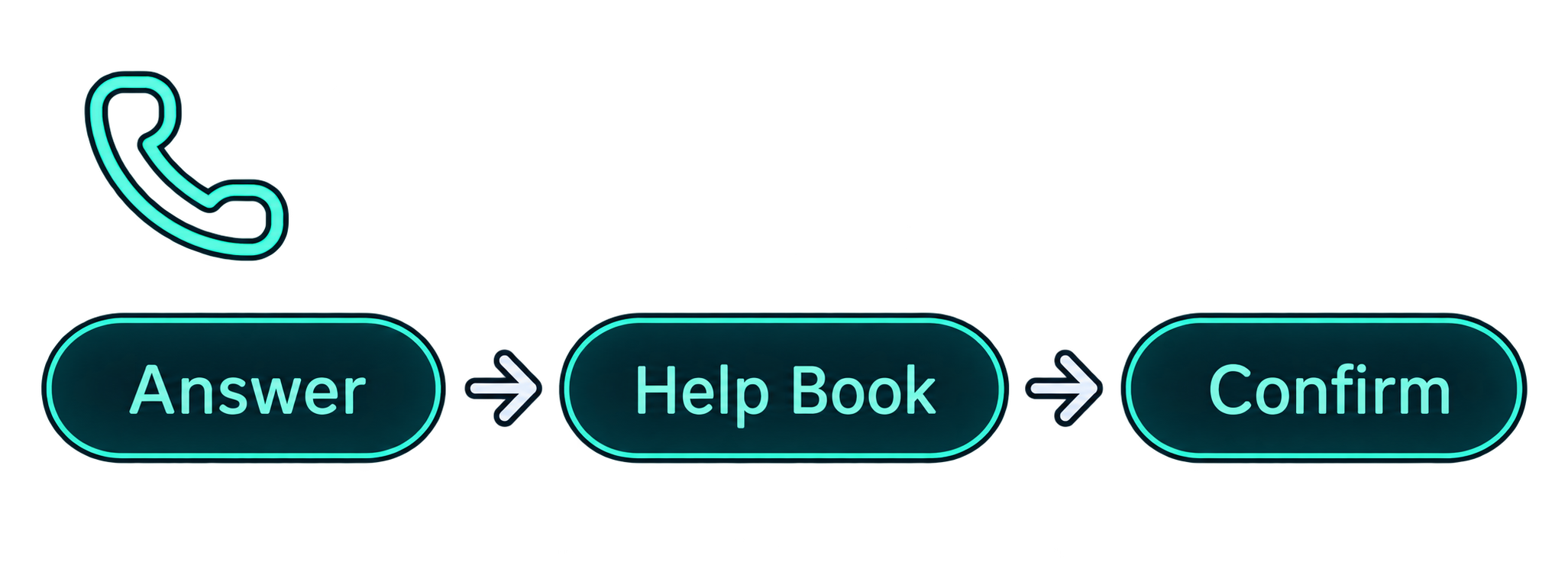
The optional AI Appointment Assistant answers incoming calls and speaks with callers about their appointment needs. It helps identify the required doctor and available appointment time, then assists with booking. A confirmation email is sent to the patient or enquirer, and the booking is recorded in the dashboard.
Purchased separately alongside LabConnect 360 — not one of the two core LIS modules.
See LabConnect 360 in Use
Talk to our team about your laboratory workflow, facility setup and system integration requirements. We can walk you through the parts of LabConnect 360 that are relevant to your operations.
LabConnect LIS
A product of Meltice Technology.
Product
Solutions
Integrations
About